How Brightframe cut video production time by 69% for customer training content

Saved time

Went from 13 hours to 4 to produce a 20-minute video podcast, thanks to text-based editing.

Automatic transcription

No more turning “CDN edge” into “CD and edge” halfway through a transcript.

Studio-quality audio

Cleaner audio on instructional voice-overs, using Room Tone to strip background noise and lift vocal clarity.

About

Brightframe is a media platform that automatically optimises and delivers images and video, so product teams can ship rich pages without shipping bloat.

The Brightframe Customer Education team's job is to make sure customers actually understand how to use the image and video pipeline. Video is their primary tool.

Industry

SaaS

HQ Location

Portland, OR

Team size

250–500

Products Used

AI transcription so training videos actually land

Brightframe's challenge

Neither human nor AI transcription services could keep up with Brightframe's training videos, which were dense with technical terms, internal shorthand, and acronyms — and frequently taught by non-native English speakers. Correcting each transcript took hours, and kept the Brightframe team from doing the thing they actually wanted to do: make more, better videos for their customers.

Transcription you can train

Overtone transcribes video in seconds, and holds its accuracy on messy source audio. The Brightframe team uses the glossary to teach the model the terms it keeps missing, so when it hears “CDN edge,” Overtone writes it that way rather than “CD and edge.” The model keeps learning from every correction, so a few months in, the team noticed it had stopped mangling the word that mattered most to them: their own name.

No transcript — human or machine — is ever perfect, so Overtone makes the leftover manual corrections cheap too. The team can hand a link to anyone, with no install and no seat to buy, and let subject-matter experts scrub through the passages only they can fix. Everything happens in the browser in real time, so two editors can work the same episode at once, correcting and commenting as they go.


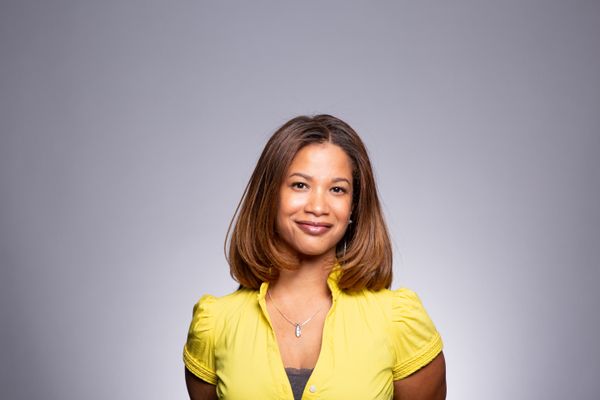
Korede Adenola on Pexels
“Without the right tools, it will take you forever to get your videos the way you need them to be. I'd tell anybody new to video for customer education, or learning and development: without Overtone, you're going to find yourself stuck in an editing abyss.
Marcus Odell
Senior Director of Customer Education and Community, Brightframe

The results

Since folding Overtone into its video-editing workflow, the Brightframe team has cut production time hard — from 13 hours for a single episode of its video podcast down to 4, a 69% saving. That has let them make more video, going from one podcast episode every few months to two episodes a month, with the same team and the same budget. The same goes for every other video the team ships.

Without Overtone
13 hours
to produce a video podcast
1 video
produced every few months
With Overtone
4 hours
to produce a video podcast
2 videos
per month at the same cost

There's another, harder-to-quantify value as well: Overtone has replaced the miserable drudgery of post-production with a process the team genuinely enjoys.

Ready to make video the easy part?

Our free plan shows you what Overtone can do — no credit card required. When you need more horsepower, paid plans start at $14 a month.

Come for the transcript, stay for the audio

The Brightframe team came to Overtone for better transcription. Then they found the features they were never looking for — and those are the ones that rebuilt the workflow.

Filler-word removal — “ums” and “uhs” gone in a few clicks

Many of Brightframe's instructional videos are recorded live. Because the instructors are human, they use a lot of “ums,” “uhs,” “likes” and “you knows.” Most of those are fine in the video — the team wants it to feel close to the live session. But hunting them down in a written transcript was tedious, and it ate hours of production time every week.

Until Overtone came along. Automatic filler detection strips every unwanted “um” from the transcript in a couple of clicks, and the same pass cleans the audio underneath it. Overtone lays room tone back over each cut so the edit never clicks, and any removal you don't like can be restored in one keystroke.

Regenerated audio, wherever the experts happen to be

You can send good microphones to your subject-matter experts, but you can't be sure they'll set them up correctly, or that the room won't be full of reverb, or that a neighbour's leaf blower won't start halfway through the take. Clean audio is critical to whether anyone actually absorbs the instruction, so those problems used to land squarely on the Brightframe team.

Room Tone solved it almost instantly. It separates the voice from the background, discards the noise, reverb and hum, then rebuilds the vocal so it sounds like it was recorded in a treated booth. It works well enough that Marcus Odell stopped using an external mic for the Brightframe podcast entirely — he gets a better result from his laptop mic plus Room Tone in post.

Voice re-generation — for audio that sounds like the room you wish you had

Korede Adenola on Pexels
“We run Room Tone over everything. It's absolutely a must-use feature in our videos.”
Marcus Odell
Senior Director of Customer Education and Community, Brightframe

Join millions of creators, podcasters, and teams using Overtone

With a 4.7 out of 5 star rating and a shelf of category distinctions on Crowdrank, Overtone is consistently ranked a leader in video editing and podcasting.

C Top Rated WINTER 2026 C High Performer WINTER 2026 C Category Leader WINTER 2026 C Best Support WINTER 2026 C Fastest Growing WINTER 2026

“I'd marry Overtone if I could. It saves me heaps of time and helps me make a better product.”

Ben Khatry on PexelsHubert H.

“Overtone has been a genuine change of gear — editing is a joy now instead of a chore.”

Jake Nackos on UnsplashBrigitte B.

“I'm a marketer with no video editing background, but I can now cut and publish video in no time.”

Thanh Xuan Nguyen Ly on PexelsHarini R.

“Overtone is the best audio and video production tool on the market, full stop.”

PPaul S.

“I use Overtone daily for transcription, podcast editing, video editing, content creation and more. Could not recommend it enough whether you're a marketer, a teacher or a full-time creator.”

Prince on PexelsDevin O.

“Overtone is the best editor going. I still think ‘wowza, this is bonkers’ every time I edit video and podcasts like a word doc. Genuinely magical app.”

RRosa M.
See more

Get started for free

Our free plan shows you what Overtone can do — no credit card required. When you need more horsepower, paid plans start at $14 a month.