Pricing & payback

We start with a paid pilot Sprint that is fully refundable if we miss. After that you are priced on how many internal workflows you keep live (plus AI usage).

Industrial skyline reflected in still water at sunset, photo by Pixabay on Pexels
Live in 12 days
Full refund if we miss
No rip-and-replace
SOC 2 Type II

Choose your plan (per plant)

Pilot (fixed window)

Prove the value on a single workflow, fast.

$3,400 / month • up to 3 months

Founding partner rate: pilot fee waived (8 spots left).

Book a Call
Scope: 1 internal workflow
AI usage: $650/month credit (top-ups available)
Storage: 8 GB
Cadence: 24-hour build → daily refinements
Guarantee: first Sprint is paid; full refund if acceptance isn't met
Upgrade credit: every pilot fee applies to your first month if you upgrade within 30 days

Six workflows

Run six end-to-end workflows in production.

$8,600 / month
Book a Call
Scope: any six internal workflows
AI usage: $650/month credit (top-ups available)
Storage: 80 GB
Cadence: 24-hour build → daily refinements
Upgrade credit: every pilot fee applies to your first month if you upgrade within 30 days

Add more workflows: + $2,700 / workflow / month

N workflows

For site-wide or regulated programmes that need a long list of workflows, heavier governance, or custom pricing.

Custom / month
Book a Call
Everything in the previous plans
Scope: you pick the number; we scale AI usage and storage to match
AI usage: custom
Cadence: 24-hour build → daily refinements
Multi-site discounts: typically 30–40% off each additional site

What counts as a
“workflow” (plain English)

A workflow is an end-to-end operational process with a clear start (trigger), steps (guided work plus data capture), and a finish (outputs plus handoffs). It can span teams and talk to your ERP/MES/QMS/WMS — without a rip-and-replace.

Common examples — pick yours

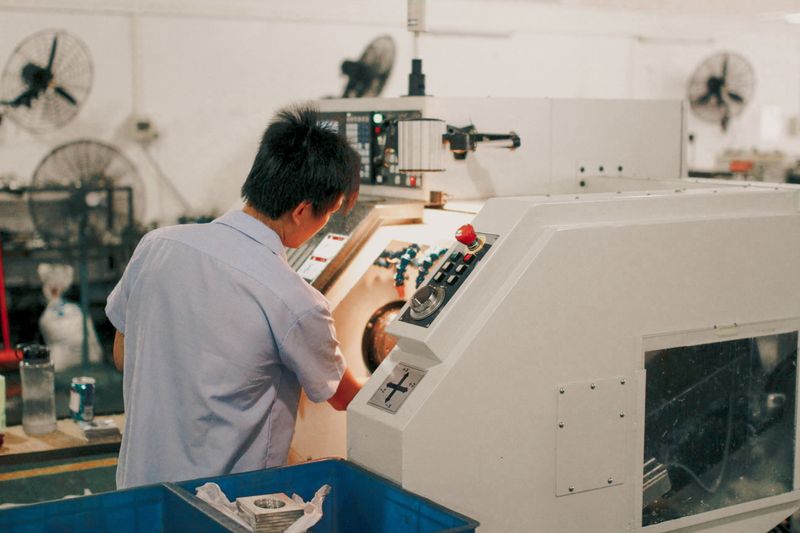
Machine operator at a lathe control panel, photo by Mehmet Turgut Kirkgoz on Pexels

Production (MES)

Shop-floor execution for Line A; changeover and first article; scrap and rework loop

Gloved hands inspecting product on a packaging line, photo by Elements Interactive on Pexels

Quality (QMS)

Hold / NCR / CAPA; in-process inspection; lot release with dual sign-off

Two workers moving stock through a warehouse aisle, photo by Tiger Lily on Pexels

Materials (WMS/MRP)

Receiving → put-away; kitting and line-side replenishment; cycle counts

Two colleagues reviewing stock racks in a fabrication warehouse, photo by James Richardson on Pexels

Planning (APS)

Scheduling and re-plan (crews, tools, changeovers); ATP and CTP checks

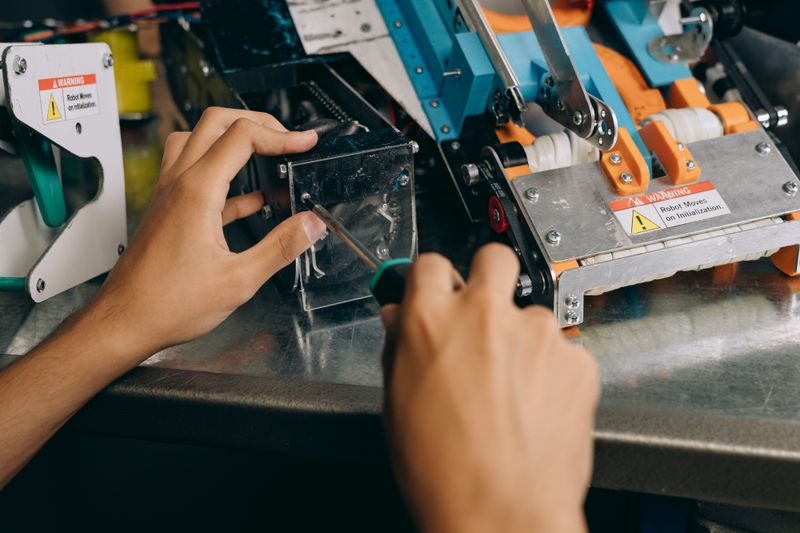
Technician servicing a machine with a screwdriver, photo by Mikhail Nilov on Pexels

Maintenance (CMMS)

Work orders (break/fix and PM) with parts and labour capture

Engineer marking up a drawing in a workshop, photo by Tima Miroshnichenko on Pexels

Engineering (PLM)

ECO/ECR release to the floor; revision control and effective dates

We count workflows. Your exceptions are first-class citizens from day one.

What's included with every Ironvale instance

Some of the functionality you will receive

Software that builds itself

Ironvale assembles around your written specification

Procedures & reports

The foundational elements of an instance.

Scheduler

Scheduling that knows your reality

Integrations

Universal integration into your architecture

Operations brain

Ask anything about your operation and get researched answers

Iterate fast

Timeline & effort

We compress six months into two weeks — but we need focused time:

Day
1 — 2.

Pick one bottleneck

Your subject-matter experts design the workflow; operators walk us through the steps as they actually happen on the floor.

Day
3.

First workflow live

On that bottleneck, running against real work rather than a demo dataset.

Day
4 — 10.

Daily releases

Operators test on the floor; Ironvale's agents ship overnight fixes and improvements before the next shift starts.

Day
11.

Go-live and stabilisation

Then you queue up the next workflows in the backlog.

Effort required from you.

We will do in two weeks what your previous setup spent six months attempting, but that speed depends on focused time from your team.

Internal champion

Priorities, unblockers, daily reviews

45–60 min/day
× 10 business days

SME / operators

(thumbs-up or down on what's live)

10–30 min/day
(test loops)

Decision cadence

(huddle to lock tomorrow's changes)

15-min
(end-of-day)

IT / systems

(access plus export)

~2 hrs total
(in week 1)

Named bottleneck

Pick one hot issue (MES/QMS/inventory/scheduling). We ship that first, then expand.

Got questions

FAQ

Procurement here is slow. Can we just start?

Most pilots start with a simple purchase order and our standard pilot agreement — plain terms your procurement team has seen many times before. We know the real cost isn't $3.4K a month; it is the six months of paperwork around it. That is exactly why we keep it short: standard agreement, standard terms, start quickly.

For large enterprises or heavily regulated industries where even a pilot needs a full procurement cycle, reach out directly. We have several ways to structure this that satisfy your procurement requirements while still moving at pace.

What does “AI usage” mean, and when would I pay more?

AI usage covers the model calls behind document extraction, guided work steps, and the answers your team asks for. Every plan carries a monthly credit; if a workflow runs unusually hot, you can top the credit up in blocks rather than renegotiating the contract.

Plant chimney and rooftops silhouetted against a golden dusk sky, photo by Piotr Twardowski on Pexels

Want to run the numbers on your own plant?

Start a 24-hour build, or take a 15-minute fit call and get clarity today.

Book a Call