Alpenglaze
Start free trial

Learn

Start here Studio advice Design Social posts Video Photography Documents Generative tools What's new Career skills

Learn from working studios

Design, video, and social advice from the studios that ship on Alpenglaze every week.

Take a look
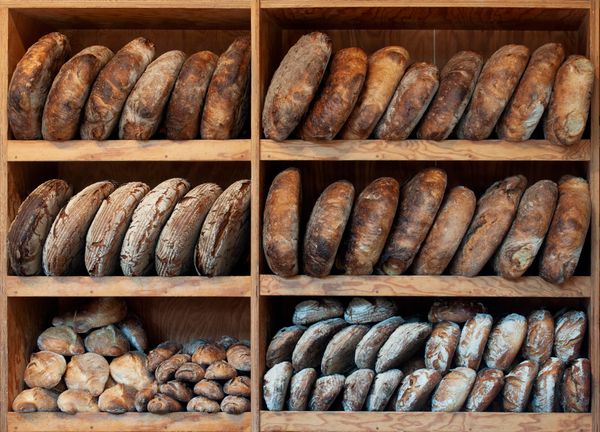
Loaves of bread on wooden bakery shelves — photo by wal_ 172619 on Pexels

Build a brand kit from scratch or from a saved library

Start a kit from nothing or from a library you already keep. Upload assets and reach fonts, colours, and marks.

Article and video · 3 minutes

Green aurora over a snowy mountain ridge — photo by Tobias Bjørkli on Pexels Speed

How to speed up or slow down a clip

Changing the pace of part or all of a clip takes two steps in the timeline editor.

Article and video · 1 minute

Crew shooting a fashion scene in a bright studio room — photo by Ron Lach on Pexels

How to trim clips and scenes

Get each clip exactly right with tools that trim and reset scene length for a tighter cut.

Article and video · 2 minutes

An open paperback resting on a bed — photo by Kate Graur on Pexels Export

How to export a finished video

Download a finished cut and keep it for later. These are the steps to export your video.

Article and video · 2 minutes

A potter shaping a bowl at the wheel in a workshop — photo by KoolShooters on Pexels

Turn a workshop flyer into a story post

Resize once and let the layout follow, so a printed flyer reads well on a vertical screen.

Article · 4 minutes

Sunflowers against a blue sky — photo by Pixabay on Pexels

Cut a background out in one pass

Lift a subject off its background, then drop it on any colour or photo you like.

Video · 2 minutes

A tall glass of iced coffee — photo by Roman Odintsov on Pexels

Add curved type over a photo

Bend a headline along an arc and keep it readable against a busy photograph.
Article and video · 3 minutes

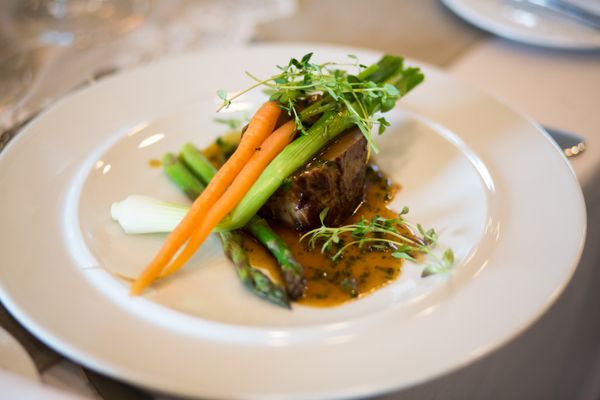
A plated dish with carrots and greens on a white plate — photo by Rene Terp on Pexels

Lay out a menu card that prints clean

Set margins and bleed once so the card that leaves the printer matches the one on screen.

Article · 5 minutes